
AI Switcher for VS Code and Cursor is available
Keep work, personal, and client coding-agent accounts visible and verifiable without leaving the editor. The extension is a thin client for the local aisw CLI; credentials stay local.
The first AI Switcher extension for VS Code is now available. It also works in Cursor, giving the same account workflow to developers who use either editor.
The extension shows the active context and profile in the status bar, lets you switch from a Quick Pick, and exposes refresh, verify, diagnose, add, and remove actions. It calls the installed aisw binary and never handles provider credentials itself.
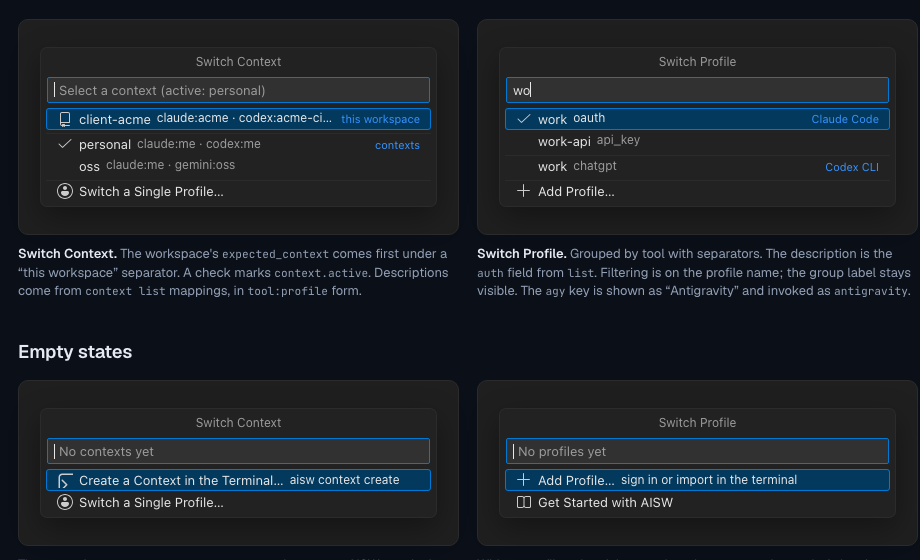
Designed around the CLI
The CLI remains the source of truth. Profiles, contexts, backups, workspace rules, and provider-native login flows continue to work in the integrated terminal. The extension adds a convenient editor surface; it does not create a second credential store or a second account model.
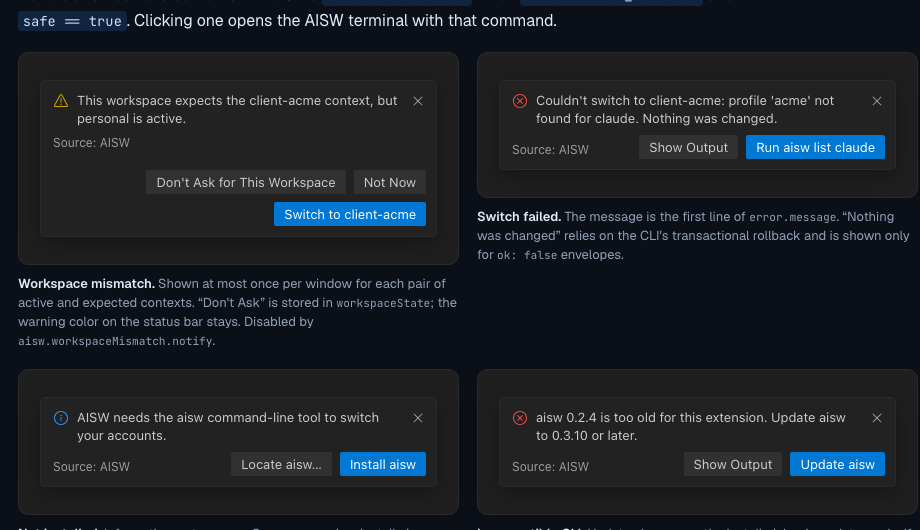
Install and start
- Install
aiswusing the CLI installation guide. - Install AI Switcher for Coding Agents from the Marketplace.
- Open the command palette and run
AISW: Refresh, or select the status-bar item.
For setup details, read the documentation. For repository-specific account protection, see the guide to workspace rules.
Put account switching next to your code
Install the extension, keep credentials local, and switch profiles when the repository changes.