
AI Switcher documentation
Switch coding-agent accounts without copying credential files or logging in again every time.
aisw is a local profile and context manager for Claude Code, Codex CLI, Gemini CLI, and Antigravity CLI. Save the accounts you already use, activate one tool or an entire work mode with a single command, and add repo-aware guardrails when the wrong account would be costly.
It is useful when you:
- keep separate work, personal, or client accounts;
- use several coding agents whose profile names do not line up; or
- want each repository to declare which account context it expects.
The core model is deliberately small:
- Profiles save one tool’s account state.
- Contexts map one work mode to profiles across tools.
- Workspace guardrails warn or block launches when the active context is wrong.
aisw applies native credential state locally, takes a rollback snapshot before a switch, and reports whether live state still matches the profile you selected. It does not proxy model traffic, run a daemon, or send credentials to a service.
Install
Section titled “Install”brew tap burakdede/tap && brew install aiswOther installers:
# Shell installer (Linux/macOS)curl -fsSL https://raw.githubusercontent.com/burakdede/aisw/main/install.sh | sh
# Cargocargo install aisw
First run
Section titled “First run”aisw initinit creates ~/.aisw/, configures the optional shell hook, and offers to import any currently logged-in tool accounts so you start with zero manual re-authentication.
If you want the guided path, continue with Quickstart. If you are evaluating whether aisw fits a more complex setup, start with Common switching situations.
Core workflow
Section titled “Core workflow”# Store profilesaisw add claude work --api-key "$ANTHROPIC_API_KEY"aisw add claude personal # launches interactive OAuthaisw add codex work --api-key "$OPENAI_API_KEY"aisw add gemini work --api-key "$GEMINI_API_KEY"aisw add antigravity work # shared OAuthaisw add antigravity api --api-key "$GEMINI_API_KEY"
# Activate a profileaisw use claude workaisw use --all --profile personal # switch all tools at once
# Save and activate a mixed-name contextaisw context create acme --claude acme-claude --codex acme-codex --gemini acme-geminiaisw context use acme
# Inspect stateaisw statusaisw status --contextaisw listFor the mechanics behind profiles, contexts, and rollback, see How aisw works. For provider-specific auth behavior and platform limits, see Supported tools.
See the workflow
Section titled “See the workflow”These recordings walk through actual commands in isolated demo environments. They are useful for seeing the shape of the workflow before you install; the linked guides explain every decision and edge case.
Save and switch accounts
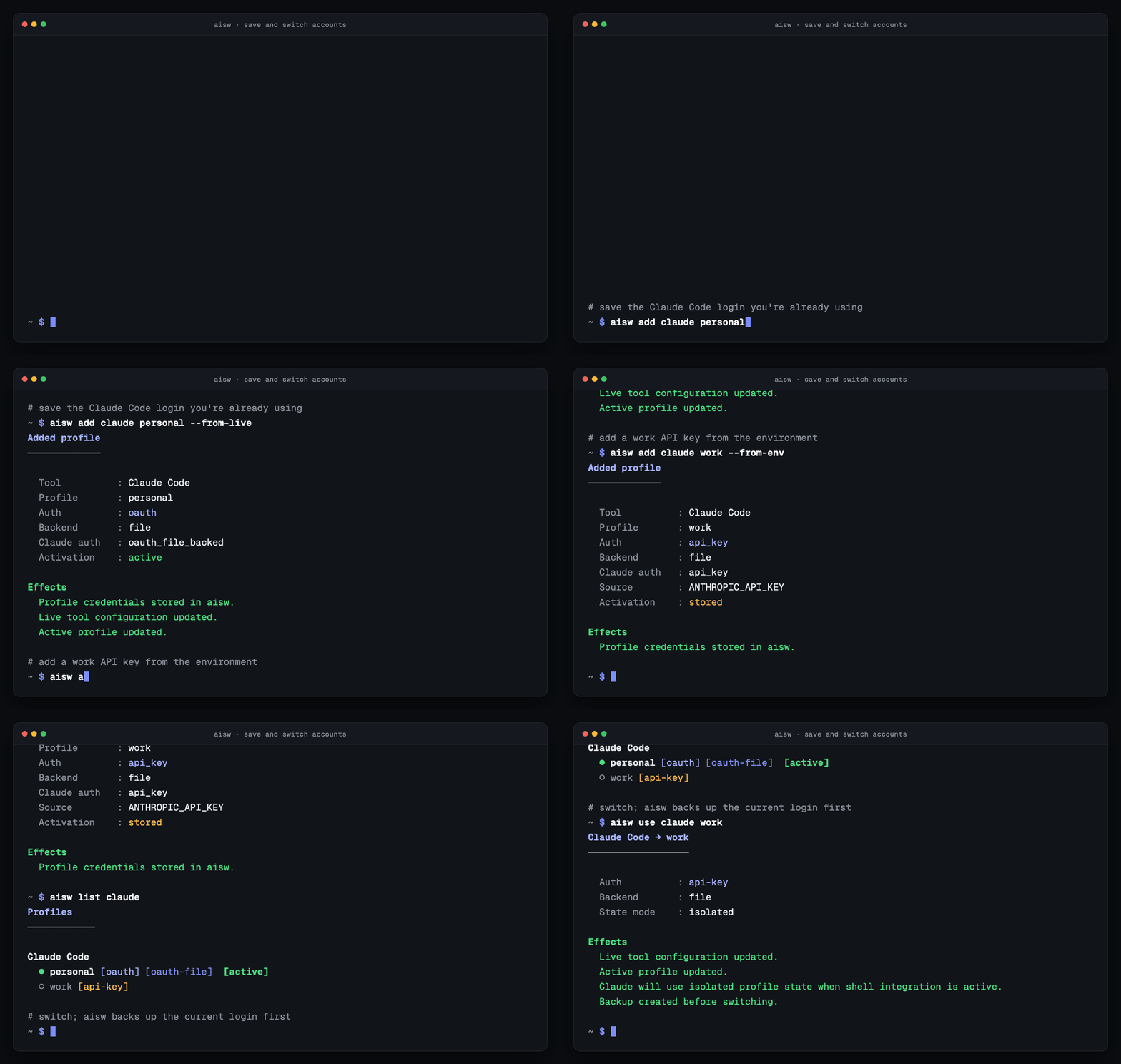
Follow the Quickstart for the shortest path, or read Adding profiles when you need to choose between OAuth, API keys, environment variables, and live imports.
Switch every agent at once
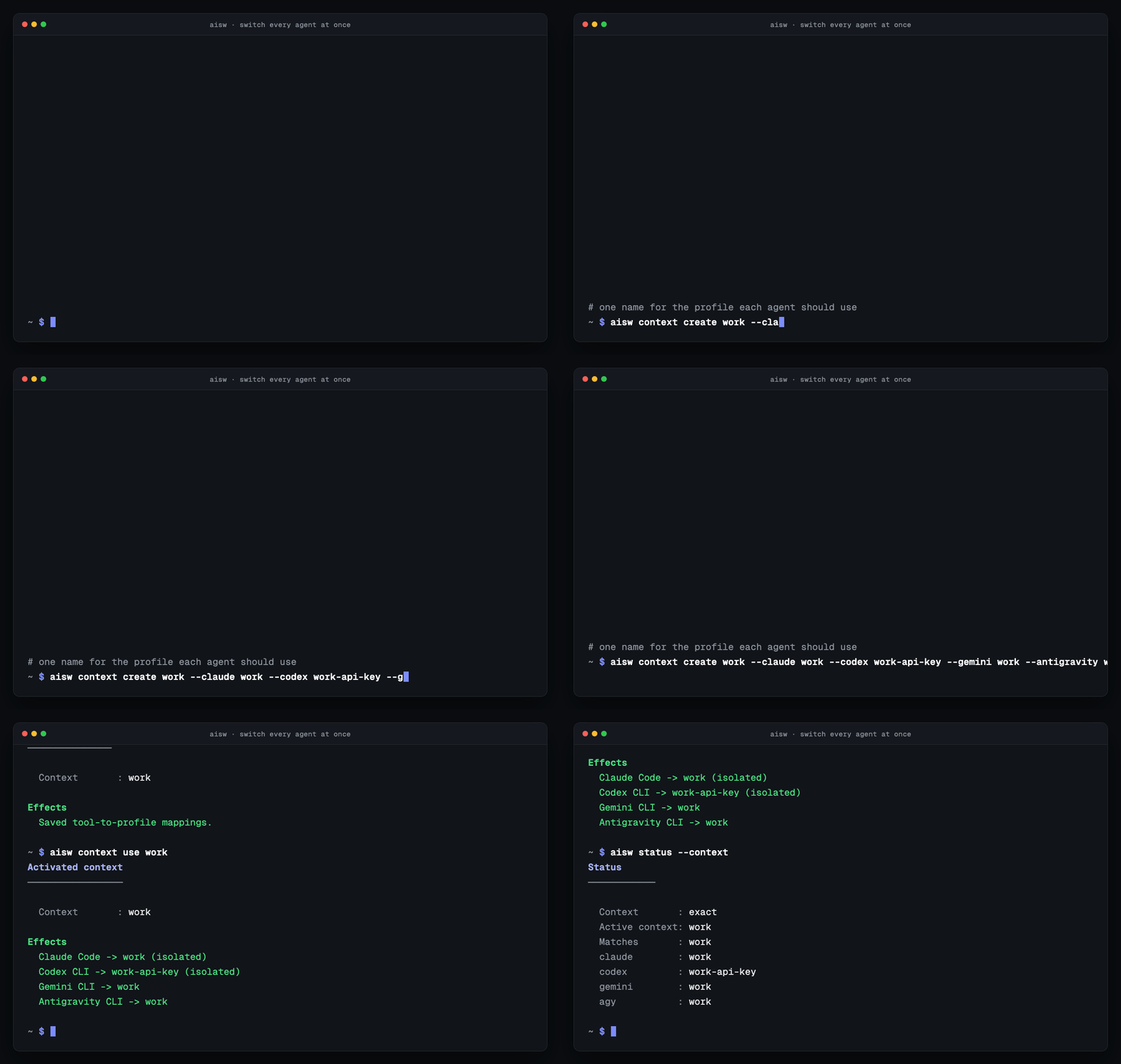
Learn about contexts when one work mode spans multiple providers.
Guard a repository
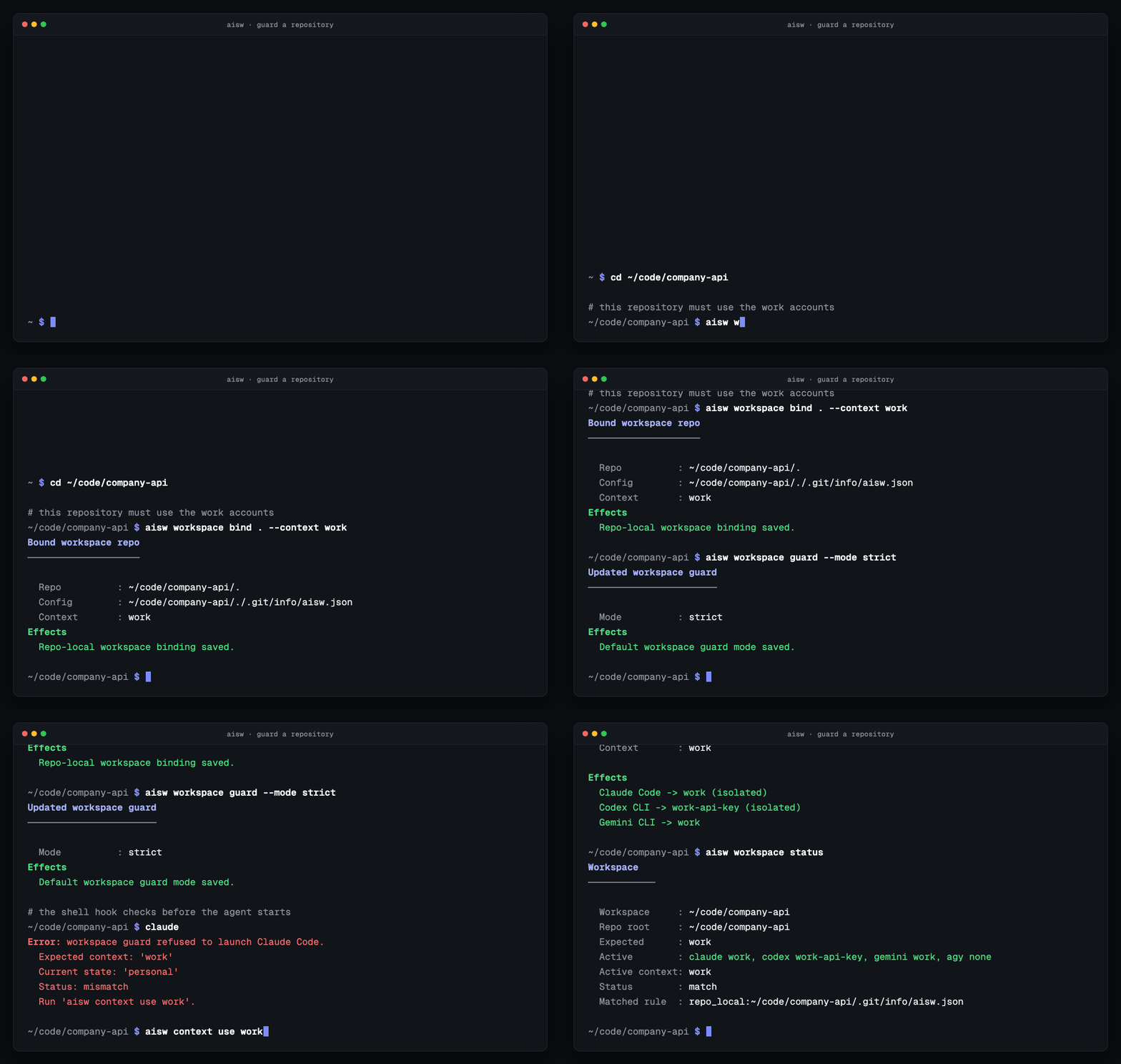
Set up workspace guardrails when the account associated with a repository matters as much as the code itself.
Common situations
Section titled “Common situations”Work and personal accounts for the same tool
Section titled “Work and personal accounts for the same tool”Store both once, then switch by name:
aisw add claude work --api-key "$ANTHROPIC_API_KEY"aisw add claude personalaisw use claude workSee Adding profiles for API keys, OAuth, live imports, and duplicate-account behavior.
Mixed client setup across Claude, Codex, Gemini, and Antigravity
Section titled “Mixed client setup across Claude, Codex, Gemini, and Antigravity”Use a context when each tool needs a different profile name:
aisw context create client-acme \  --claude acme-claude \  --codex client-a-openai \  --gemini gemini-consulting \  --antigravity acme-agy
aisw context use client-acme
A context only needs the tools you actually use - map one, or all four.
See Common switching situations for the profile-versus-context decision and Configuration for the files and schemas involved.
Wrong-account protection per repo
Section titled “Wrong-account protection per repo”Use workspace guardrails when the repo itself should enforce the right work mode:
aisw workspace bind . --context client-acmeaisw workspace guard --mode strictSee Workspace guardrails for resolution order, remote patterns, path rules, and shell-hook behavior.
Start here
Section titled “Start here”| If you want to… | Start here | Then go deeper |
|---|---|---|
| Install and switch your first account | Quickstart | Adding profiles |
| Choose between profiles, contexts, and guardrails | Common switching situations | Workspace guardrails |
| Integrate aisw with a GUI, script, or CI job | Automation and scripting | Commands |
| Build an editor integration | IDE integrations | Automation and scripting |
| Understand storage, rollback, and platform behavior | How aisw works | Security |
| Check support before installing | Supported tools | Acceptance matrix |
| Diagnose a mismatch or failed switch | Troubleshooting | Configuration |
For direct answers to common searches such as “how do I switch between two Claude Code accounts?” or “can I manage multiple Codex CLI accounts?”, see Frequently Asked Questions.